
Set it up
- Set up push notifications for your system on the push setup page.
- Allow Critical Alerts for easyNag when iOS asks.
- Send a notification with
priority 3for the alerts that should come through as Critical Alerts, e.g. DOWN or CRITICAL in production. - Set the volume for Critical Alerts in the app, and pick a custom sound if you like.
Quiet Hours
During Quiet Hours, normal notifications arrive silently. Critical Alerts still sound. Your monitoring system's notification rules decide what gets sent at all.
Act from the notification
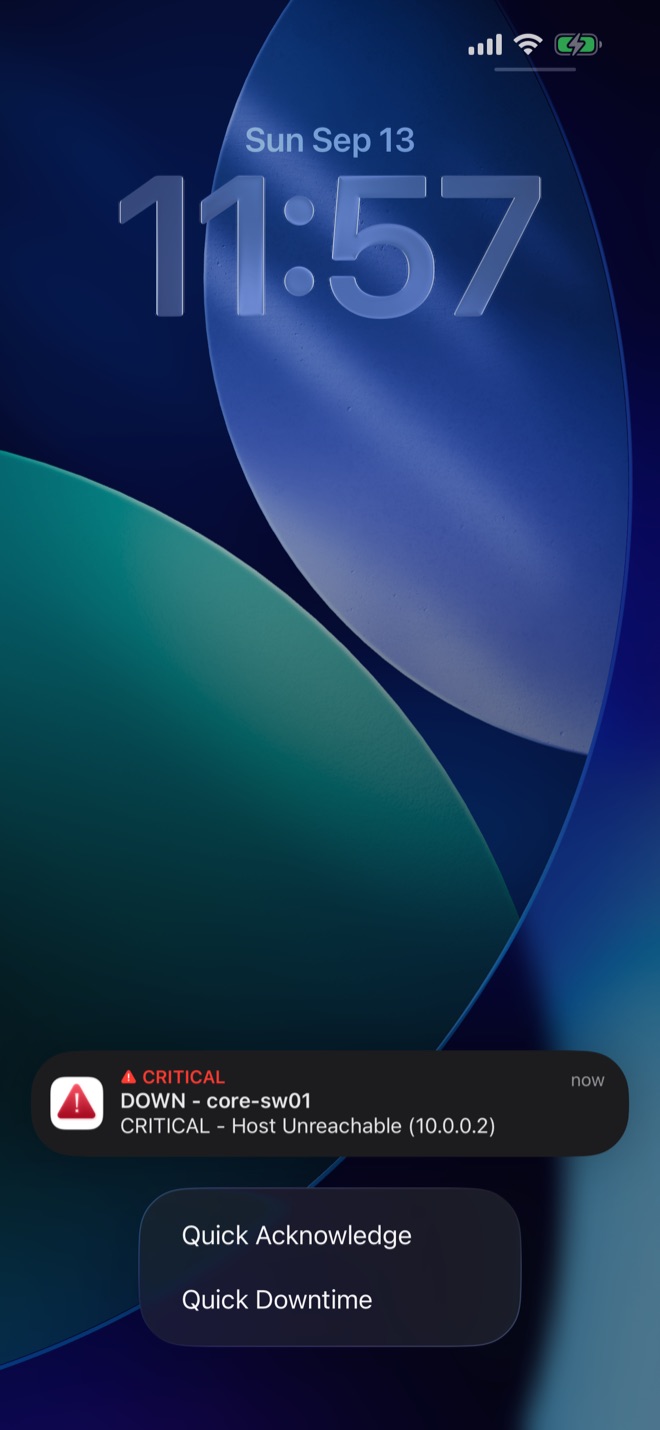
Long-press a notification to acknowledge the problem or schedule a downtime. Service details are in the app.
Only send Critical Alerts for problems that really need you right away.
Get easyNag on the App StoreiPhone, iPad & Mac
Download on theApp Store
Related guides
Nagios
Nagios push notifications on iPhone
Send Nagios Core alerts to your iPhone as push notifications.
Read the guide → checkmkcheckmk push notifications on iPhone
Get checkmk alerts on iOS and act on them from the notification.
Read the guide → WorkflowAcknowledge alerts from your phone
From the notification, the list or in bulk.
Read the guide →